Most small businesses have tried AI by now. Someone drafts emails with it. Someone else summarizes meeting notes. It helps. But the office itself runs the same way it did before: the same follow-ups, the same chasing, the same "who's handling this?"
An autonomous office is meant to close that gap.
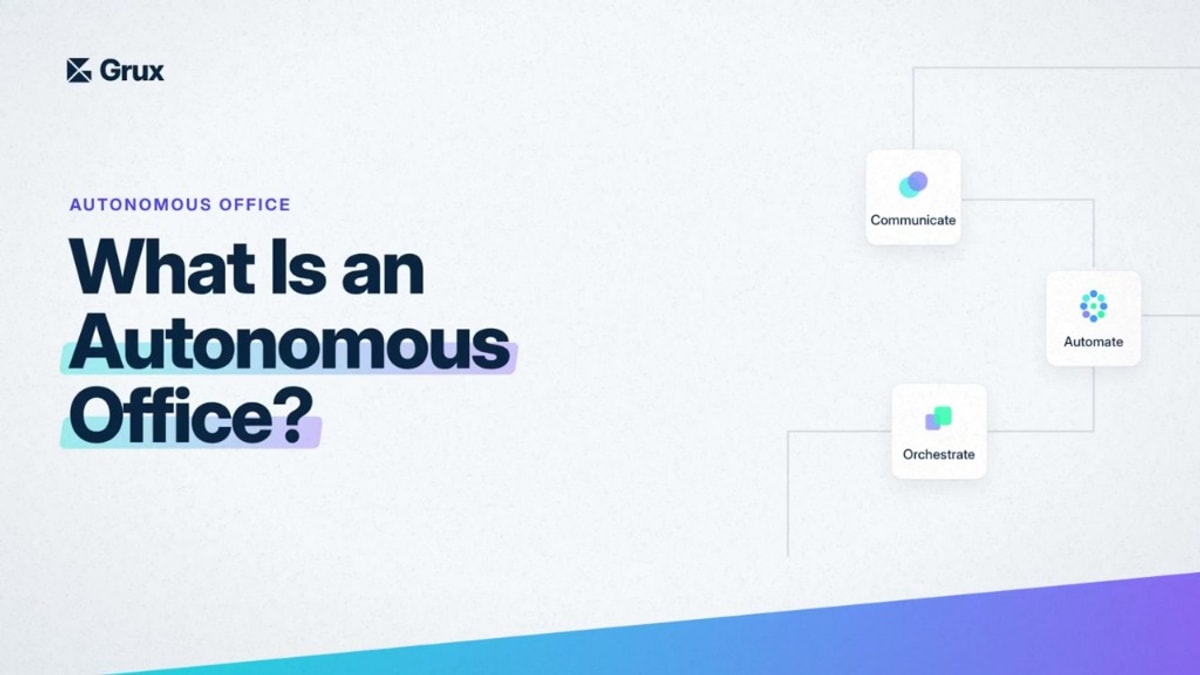
The short answer: An autonomous office is a business where the routine coordination of office work happens automatically. That includes answering calls, collecting documents, routing requests and managing who has access to what. People step in where judgment is needed. The goal is not simply to introduce AI. It's to make the business run better with less manual coordination.
AI is in the office, but it isn't running the office
AI use at small businesses is already common. In June 2026, the U.S. Chamber of Commerce Foundation published its first Main Street AI Monitor, a survey of 1,070 people who work at businesses with 2 to 499 employees. Half of them said they already use AI at work.
How they use it is the interesting part. Most use it for personal productivity: drafting, summarizing and brainstorming. Only 6% of those using AI said they use it to automate workflows with minimal human involvement.
The same survey found that 19% of workers said AI arrived at their company mostly because employees started trying tools on their own. Only 11% said it came from company guidance. In other words, AI often shows up one person and one app at a time, with no plan for how it fits the business.
That piecemeal approach has a cost. In a January 2026 study of 3,200 employees at companies with $100 million or more in annual revenue, Workday found that nearly 40% of the time AI saved was lost to rework: fixing mistakes, rewriting content and checking outputs. Those are large companies, but the pattern is easy to recognize at any size. A tool that saves time on a draft can cost it back in review.
The U.S. Census Bureau sees the size gap too. Between December 2025 and May 2026, AI use grew among firms with 20 or more employees but didn't change significantly among smaller firms. Fewer than 20% of firms with four or fewer employees reported using AI.
What office automation means, in simple words
Office automation means letting software handle the repeatable steps of office work so people don't have to push each one along by hand.
Most of those steps aren't the work itself. They're the coordination around it. Asana calls this "work about work": communicating about work, searching for information, switching between apps, managing shifting priorities and chasing the status of tasks. Every office has it. Nobody was hired to do it.
A personal AI tool helps one person do one task faster. An autonomous office changes how the work moves between people, systems and clients.
| Using AI tools | An autonomous office | |
|---|---|---|
| Who uses it | Individuals, one at a time | The whole office, as one system |
| What it does | Drafts, summarizes, answers questions | Moves routine work from start to finish |
| What it knows | Only what you paste in | Your business information, in one place |
| Where people fit | They do the work, with help | They handle what takes judgment |
| Risk in a regulated office | Hard to see what's being shared | Designed around access and data rules |
Examples of office automation in a small business
These are the kinds of tasks an autonomous office takes over. None of them is exotic. They're the tasks that fill a front office's day.
Calls and messages
A client calls after hours. The call is answered, the question is logged, and the follow-up is assigned to the right person for the morning. Nobody has to replay a voicemail and guess who should get it.
Client intake and documents
A new client signs on and gets a secure link to a portal. They upload what you need, and the file is complete before anyone has to send a second reminder. Missing items get chased automatically.
Requests and handoffs
A request comes in by email, phone or portal. It's routed to the right person with the history attached, and its status is visible to everyone who needs it. "Did anyone get back to them?" stops being a question.
Onboarding and offboarding
A new hire gets the right access on day one. When someone leaves, their access to every system shuts off the same day. In a regulated office, that second part is a security issue, not just a convenience.
Scheduling and reminders
Appointments are booked, confirmed and rescheduled without staff phone tag. Deadlines and renewals trigger reminders on their own.
In every example, the routine path runs by itself and the exceptions go to a person. That split is the core idea. Automation handles what's predictable. Your team handles what isn't.
How an autonomous office is built
We think of it as three layers, built in order.
- A secure foundation. Who can get in, from where, and where sensitive data lives. This comes first because every later layer depends on it.
- One shared hub. A single place where your team and AI agents work from the same picture of your business: clients, requests, documents and history. Without it, AI is guessing. Some people call this a context engine. It sits between the question your staff asks and the AI model, and it knows where to find the answer, so the AI doesn't start from scratch every time.
- Automation on top. Calls, requests and paperwork that run through the hub, with people stepping in where judgment is needed.
Most AI projects start at layer three. That's why so many of them end in rework: the AI is working without the information it needs, inside tools that weren't set up for it.
Why regulated offices have to start somewhere different
If you run a medical office, a financial firm or a law practice, the first question about any AI tool isn't whether it works. It's whether you're allowed to use it.
Take healthcare. Under the HIPAA Privacy Rule, a provider can share protected health information with a vendor only after getting satisfactory assurances that the vendor will safeguard it, which in practice means a signed Business Associate Agreement (BAA). If a staff member pastes patient details into an AI tool that has no BAA in place, that's a disclosure the practice can't take back.
Many everyday AI plans don't come with that agreement. OpenAI, for example, lists a small set of ChatGPT products as HIPAA eligible with a BAA: ChatGPT for Healthcare, ChatGPT for Enterprise with Regulated Workspace, ChatGPT FedRAMP and ChatGPT for Clinicians. The standard plans many small offices use aren't on that list.
Financial firms face their own rules about protecting client information. The details differ by industry, but the principle is the same: the data rules come first, and the AI has to fit inside them.
Before any AI tool touches client data, ask four questions:
- Will the vendor sign the agreement your industry requires?
- What happens to the information your team types in, and is it used to train the vendor's models?
- Can you see who on your team is using it, and for what?
- When someone leaves, can you shut off their access the same day?
If you can't answer those, the tool isn't ready for client data, however useful it is.
This section is general information, not legal advice. Check the specifics with your compliance officer or attorney.
Where to start: three questions for your office
You don't need a big project to begin. Start by looking at how work moves today.
- Where does your team spend time chasing? Follow-ups, missing documents, status questions. List the top three. Those are your first automation candidates.
- Where does your client information live? Count the places: email, a shared drive, a practice or CRM system, spreadsheets, phones. The more places, the more the hub matters.
- Which AI tools are people already using? Ask, without blame. If adoption is happening on its own, you want to know before client data goes somewhere it shouldn't.
The answers tell you which layer to fix first. For most regulated offices, it's the foundation.
What we're building at Grux
At Grux, we don't start with the AI. We start with the plumbing: who can get in, from where, and where sensitive data lives. That's the work we already do every day for medical and financial offices as their IT provider. So we're building the autonomous office in the same order: security first, then one shared hub, then automation on top.
That foundation is running today for the offices we support, and our own support line answers in 15 seconds. The autonomous office is the next layer we're building on top of it.
We're building the autonomous office for regulated offices that want AI to do real work without putting client data at risk.
Be first in line for the autonomous office.
Frequently asked questions
What is an autonomous office?
An autonomous office is a business where routine office coordination, like answering calls, collecting documents, routing requests and managing access, happens automatically, and people handle the work that needs judgment. The goal is to make the business run better with less manual coordination, not just to add AI.
How can AI be used in a small business?
Most small businesses use AI today for drafting, summarizing and brainstorming. The bigger opportunity is using it to run routine office work: handling calls after hours, collecting client documents, routing requests, sending reminders and managing employee access. Start with the tasks your team spends the most time chasing.
What are examples of office automation?
Common examples are after-hours call answering and routing, client intake through a secure portal, automatic document reminders, request tracking with status visible to the team, appointment scheduling and confirmations, and same-day access changes when employees join or leave.
What is office automation in simple words?
Office automation means software handles the repeatable steps of office work, so people don't have to push each task along by hand. People still make the decisions. The software does the chasing, routing and reminding.
Does an autonomous office replace staff?
Its purpose is to take routine coordination off your team's plate, so the people you have spend their time on clients and on work that needs judgment. In the Chamber Foundation's survey, most small business workers said they use AI to be more productive, not to automate their roles away.
Is it safe to use AI in a medical or financial office?
It can be, if the tool fits your industry's data rules. In healthcare, that means a signed Business Associate Agreement before any patient information is shared. Many standard AI plans don't offer one. Check the agreement, the data handling and who has access before anyone types client information in.